Asus Zenbook Duo (2026) Review: The Gold Standard for Dual-Screen Productivity

Multitasking on a standard ultraportable laptop usually means constantly switching between overlapping windows or carrying a heavy portable secondary monitor. Traditional single-screen form factors limit active screen real estate when working remotely or managing complex workflows.
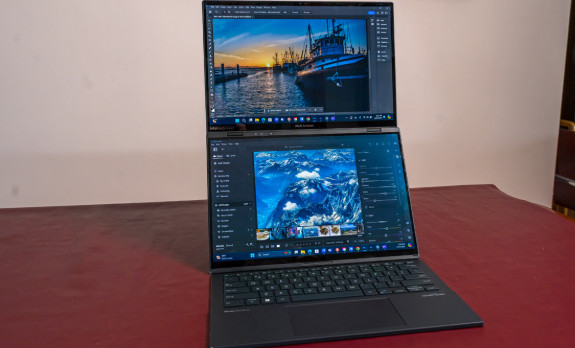
Asus solves this spatial constraint with the Zenbook Duo (2026). Featuring two full-sized 14-inch 3K OLED touchscreens, a detachable Bluetooth keyboard, and an integrated kickstand, this machine redefines mobile workstation productivity.
At Numerello, we tested the Zenbook Duo across heavy multi-window document editing, dual-screen timeline video rendering, and long-haul travel setups. Here is our technical evaluation.
1. Dual 3K OLED Display Setup and Convertible Form Factors
The defining feature of the Zenbook Duo is its dual 14-inch 3K (2880 x 1800) ASUS Lumina OLED panels operating at a smooth 120Hz refresh rate. Combining both displays yields an expansive 19.8-inch virtual workspace with 100% DCI-P3 color accuracy and VESA DisplayHDR True Black 500 certification.
The built-in adjustable kickstand supports five distinct usage modes:
-
Dual Screen Mode: Vertical stacking for maximum vertical scrolling and coding layout
-
Desktop Mode: Side-by-side orientation mimicking a dual-monitor office environment
-
Laptop Mode: Magnetic attachment of the physical keyboard over the lower screen
-
Sharing Mode: 180-degree flat lay for collaborative client presentations
-
Virtual Keyboard Mode: On-screen capacitive typing for ultra-light travel
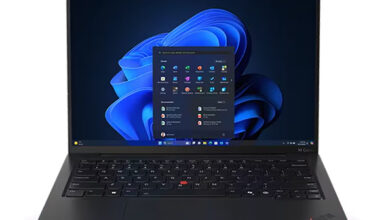
If you want to compare this dual-display productivity setup against a traditional executive ultrabook with a single panel, explore our Lenovo ThinkPad X1 Carbon Gen 13 review.
2. Intel Core Ultra NPU Performance and Thermal Architecture
Powering the 2026 Zenbook Duo is the latest Intel Core Ultra 9 processor, featuring an integrated Neural Processing Unit (NPU), Intel Arc graphics, up to 32GB of LPDDR5X RAM, and a 2TB PCIe 4.0 NVMe SSD.
The NPU handles local AI acceleration—including automated video framing, noise suppression, and real-time live captioning—leaving main CPU cores free for intensive applications. Multi-stream 4K editing and heavy spreadsheet modeling execute without hesitation.
To dissipate heat across two OLED panels and a compact internal chassis, Asus utilizes a copper heat-pipe assembly paired with dual Smart Fan systems.
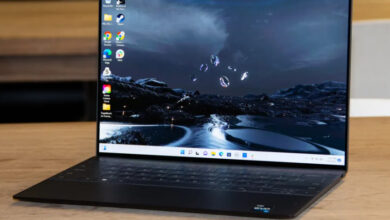
Surface temperatures remain cool under sustained loads. If you want to evaluate another premium ultraportable with a touch-centric glass interface, check out our Dell XPS 13 Plus (2026) review.
3. Detachable Keyboard Ergonomics and Digital Pen Support
The included full-sized ErgoSense keyboard connects magnetically via pogo pins for zero-latency typing and recharges automatically when rested atop the lower display. It can also be detached and used wirelessly over Bluetooth 5.3 when both screens are elevated on the kickstand.
Key travel measures a comfortable 1.4mm with quiet actuation, while the smooth glass touchpad supports multi-finger Windows 11 gestures.
Both OLED touchscreens support active ASUS Pen 2.0 stylus input with 4,096 pressure levels, allowing digital artists and note-takers to draw on one screen while keeping reference materials open on the second.
If you are open to a 2-in-1 convertible alternative with a 360-degree hinge rather than a dual-screen design, take a look at our HP Spectre x360 14 (2026) review.
4. Battery Life Endurance, Power Delivery, and I/O Connectivity
Running two high-resolution 120Hz OLED panels requires significant power. Asus equips the Zenbook Duo with a high-capacity 75Wh battery managed by intelligent power routing.
During our dual-screen web browsing and document editing suite at 150 nits brightness, the machine delivered 8.5 hours of active battery life in full Dual Screen mode, and over 13.5 hours in single-screen Laptop mode.
Port selection is impressively practical for a multi-screen device:
-
2x Thunderbolt 4 Type-C (with DisplayPort & Power Delivery)
-
1x USB 3.2 Gen 1 Type-A
-
1x HDMI 2.1 TMDS
-
1x 3.5mm Combo Audio Jack
5. Technical Specifications Overview
| Hardware Category | Specification Details |
| Display Setup | Dual 14-inch 3K OLED Lumina Touchscreens (2880 x 1800, 120Hz, 0.2ms) |
| System Processor | Intel Core Ultra 9 Processor (2026 Architecture) |
| Graphics Controller | Intel Arc Integrated Graphics |
| System Memory | Up to 32GB LPDDR5X-7467 MHz RAM |
| Battery & Charging | 75Wh Battery with 65W USB-C Fast Charger |
6. The Verdict: Is the Asus Zenbook Duo (2026) Worth Buying?
The Asus Zenbook Duo (2026) is a triumph of mobile engineering. By placing two gorgeous 3K OLED screens in a chassis no thicker than a conventional laptop, it offers unprecedented multitasking efficiency for digital nomads, programmers, and creators.
You should buy the Zenbook Duo if you frequently work away from your desk and need dual-monitor screen real estate without sacrificing portability or performance.
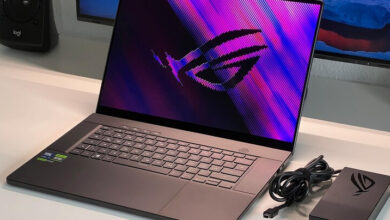
However, if you prefer a single-screen machine dedicated purely to heavy AAA gaming performance with discrete RTX graphics, read our Asus ROG Zephyrus G16 review before placing your order.