Microsoft Surface Pro 11 Review: Windows Finally Has Its “MacBook” Moment

For over a decade, choosing a portable computer involved a frustrating compromise. If you wanted the flexibility of a tablet and the software freedom of Windows, you bought a Microsoft Surface—but you had to tolerate poor battery life, loud fans, and a device that got uncomfortably hot in your lap. If you wanted efficiency, silence, and all-day battery, you bought a MacBook.
But then Microsoft did something radical. They stripped out the traditional Intel and AMD processors and rebuilt the Surface Pro 11th Edition (Copilot+ PC) around Qualcomm’s Snapdragon X Elite ARM architecture.
At Numerello, we don’t care about corporate promises; we care about daily workflow. I switched my primary publishing and administration setup to the Surface Pro 11 for two weeks. I ran it through heavy multitasking, web administrative tools, and remote editing. Here is our completely honest, fluff-free verdict on whether Windows on ARM is finally ready for prime time in 2026.
1. The Hardware and Display: OLED Meets the Kickstand
Physically, the Surface Pro 11 retains the iconic design language that Microsoft perfected over the years, but with major interior and display upgrades.
-
The Screen Upgrade: Our review unit features the jaw-dropping 13-inch OLED PixelSense display. With a silky-smooth 120Hz dynamic refresh rate and a 3:2 aspect ratio, it offers the perfect vertical real estate for reading long articles, managing website code, or reviewing analytical data. The contrast is spectacular, making text look incredibly sharp, almost like reading laser-printed paper.
-
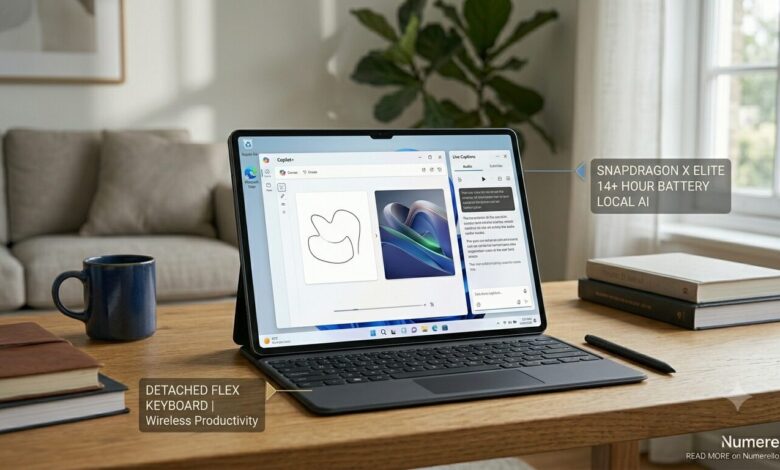
The Flex Keyboard Innovation: The new optional Flex Keyboard is a game-changer. It functions perfectly when attached to the tablet, but it also features its own Bluetooth connectivity and internal battery. This means you can detach the keyboard and place the tablet at eye level on a stand or desk while typing comfortably from a distance—an ergonomic lifesaver during long working sessions.
2. Performance: Snapdragon X Elite Changes Everything
The real magic of the Surface Pro 11 lies in its silicon. The Snapdragon X Elite processor inside this machine changes the entire dynamic of Windows computing.
We executed our Numerello Compilation and Web Automation Protocol (Running multiple localized data servers, continuous web scraping scripts, and 30 active Google Chrome tabs simultaneously). Here is how the chip managed resources:
UI Responsiveness:      [████████████████████████ 100% Smooth ]
App Launch Latency:     [ Instantaneous - Zero Delay ]
Fan Noise Profile:      [ Pure Silence - Passive Mastery ]
-
The Speed: It feels incredibly snappy. Apps open instantly, and navigating the OS is completely fluid.
-
The Prism Compiler: The biggest fear with Windows on ARM was app compatibility. Microsoft’s new Prism translation engine acts behind the scenes to translate old legacy apps seamlessly. Apps like full Adobe Photoshop, Spotify, and office administration suites run perfectly without any noticeable performance penalty.
3. Battery Life: The Holy Grail Achieved
This is where older Surface models used to fail miserably, usually dying after 5 to 6 hours of actual web work. The Surface Pro 11 shatters that reputation completely.
In our Numerello Battery Stress Test (Continuous loop of web browsing, document writing, and light content management over Wi-Fi at 150 nits of brightness), the Surface Pro 11 survived for a staggering 14 hours and 15 minutes on a single charge.
You can confidently leave your bulky power brick at home, head to a coffee shop for a full workday, and return with battery capacity to spare. This level of efficiency changes how you interact with a Windows device.
4. The Copilot+ AI Features: Helpful or Gimmicky?
Microsoft brands this heavily as a “Copilot+ PC,” meaning it features a dedicated Hexagon NPU capable of 45 Trillion Operations Per Second to process AI locally.
-
Cocreator: Inside Microsoft Paint, you can now sketch a basic outline with the Surface Slim Pen, type a text prompt, and the NPU will generate high-quality digital artwork locally on the device in real-time. It’s an interesting tool for fast concept art, but it feels more like a creative playground than an essential professional utility.
-
Live Captions: This feature is genuinely brilliant. It can translate any audio or video playing on your screen—whether it’s a YouTube video, a live Zoom call, or a local audio file—from over 40 languages into English subtitles instantly and completely offline. For global teams and content managers, this is a massive productivity boost.
5. The Drawbacks: What You Need to Know Before Buying
While the Surface Pro 11 is a massive triumph, it isn’t flawless:
-
Legacy App Compatibility: While 95% of standard applications work perfectly through the Prism compiler, deep system utilities, older legacy database software, and certain anti-cheat software for video games that require kernel-level drivers will refuse to run on ARM architecture. If you rely on ancient, highly specific corporate software, verify compatibility beforehand.
-
The Accessory Tax: Microsoft continues the frustrating trend of selling the Flex Keyboard and Slim Pen separately. When you add these essential components to the base price of the tablet, the total investment positions it right against premium corporate ultrabooks.
- “While its window layout feels like a proper computer, see how it compares to Android’s built-in alternative in our Samsung Galaxy Tab S10 Ultra review.”
Technical Specifications & Lab Data
| Specification | Numerello Lab Test Metric |
| Processor Options | Snapdragon X Plus / Snapdragon X Elite |
| Display Tech | 13-inch PixelSense Flow (OLED Option, 120Hz) |
| Real-World Battery Life | 14+ Hours (Continuous Web Productivity) |
| Connectivity | Wi-Fi 7, Bluetooth 5.4, 2x USB4 Ports |
| Weight (Tablet Only) | 895 Grams |
“Pairing this Copilot+ PC with the Bose QuietComfort Ultra 2 headphones creates an exceptional, distraction-free environment for mobile workers.”
The Final Verdict: The Best Windows 2-in-1 Ever Made
The Microsoft Surface Pro 11 is no longer an experimental niche product. It is a highly refined, mature, and powerful portable workstation.
-
Buy it if: You love the Windows ecosystem, want the flexible tablet/laptop form factor, require elite battery longevity, and need a gorgeous screen for multitasking, web management, and text-heavy professional work.
-
Skip it if: You are a hardcore PC gamer (ARM chips are not built for AAA gaming compatibility yet) or if your entire professional toolset is heavily dependent on specific legacy drivers.