
The debate surrounding tablets as true laptop replacements has raged for years. Most devices struggle because mobile operating systems feel restrictive, or hardware performance falls short under heavy workloads.
Apple changes this narrative with the iPad Pro M4. By combining an ultra-thin design with a groundbreaking tandem OLED screen, this device redefines what portable computing can achieve.
At Numerello, we tested the 13-inch iPad Pro M4 across several weeks of editorial publishing, graphic design tasks, and daily multitasking. Here is our comprehensive evaluation.
1. Ultra-Thin Aluminum Chassis and Tandem OLED Display
At just 5.1mm thick, the 13-inch iPad Pro M4 stands as the thinnest product Apple has ever created. The CNC-machined aluminum body feels remarkably rigid despite its razor-thin profile, making it effortless to slip into a backpack.
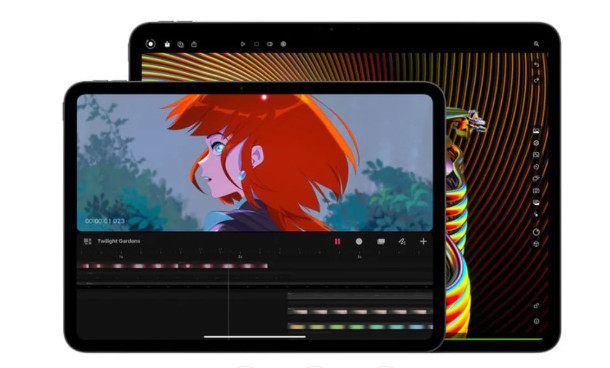
On the front, the new Ultra Retina XDR display uses a groundbreaking tandem OLED architecture. By stacking two OLED panels together, Apple achieves phenomenal brightness levels, reaching 1,000 nits full-screen and 1,600 nits peak for HDR content.
True blacks and infinite contrast ratios make this screen an absolute dream for professional photo and video editors. If you want to compare this screen technology against a massive Android media rival, check our Samsung Galaxy Tab S10 Ultra review.
2. M4 Silicon Architecture and Thermal Performance
Packing the M4 chip into a chassis thinner than a pencil is an incredible engineering feat. Built on an advanced 3nm process, the processor features a powerful 9-core or 10-core CPU paired with hardware-accelerated ray tracing.
Exporting complex 4K video timelines in editing suites or rendering 3D models happens with astonishing speed. Thermal dissipation is handled efficiently, keeping the back panel cool under sustained workloads.
While raw processing power is unmatched, the true bottleneck remains iPadOS. If your workflow requires a desktop-class file system and native multi-window flexibility, you might also want to read our Microsoft Surface Pro 11 review.
3. Magic Keyboard Ecosystem and Multitasking
To truly use the iPad Pro as a productivity machine, the redesigned Magic Keyboard is nearly essential. It features a larger aluminum palm rest, a responsive haptic trackpad, and a dedicated function row.
Attaching the tablet transforms it into a sleek workstation. Stage Manager and external display support allow you to run multiple apps side by side, though multitasking still lacks the fluid window management found on traditional desktop operating systems.
For casual reading or note-taking, detaching the tablet reveals an ultra-light slate. If you are looking for a more budget-friendly media consumption tablet to use around the house, take a look at our Xiaomi Pad 6 review.
4. Battery Endurance and Real-World Portability
Battery life in a device this thin always raises concerns. Fortunately, the energy efficiency of the M4 chip keeps power consumption remarkably low during casual tasks.
During our standard testing cycle involving continuous Wi-Fi web browsing, document writing, and occasional video streaming, the 13-inch iPad Pro delivered around 10 hours of active screen-on time.
Heavy rendering or high-brightness gaming will drain the battery faster, but typical daily workflows easily survive a standard workday. The single Thunderbolt / USB 4 port supports fast charging and high-speed accessories, though expandable storage via microSD remains absent.
5. Technical Specifications Overview
| Hardware Category | Specification Details |
| Display Panel | 13-inch Tandem OLED Ultra Retina XDR (2420 x 1668, 120Hz) |
| System Processor | Apple M4 Chip (9-core or 10-core CPU, 10-core GPU) |
| System Memory | 16GB / 32GB Unified RAM (depending on storage tier) |
| Storage Capacity | Up to 2TB NVMe Storage |
| Battery & Charging | 38.99 Wh Rechargeable Lithium-Polymer |
6. The Verdict: Is the 13-inch iPad Pro M4 Worth Buying?
The 13-inch iPad Pro M4 is an engineering masterpiece that redefines what a mobile slate can achieve. Its tandem OLED display and M4 silicon set a benchmark that few competitors can touch.
You should buy this tablet if you are a creative professional who values ultra-portability, stunning visual fidelity, and top-tier single-core performance.
However, if you need a flexible hybrid machine running full desktop software, make sure to check out our Microsoft Surface Pro 11 review before deciding.