
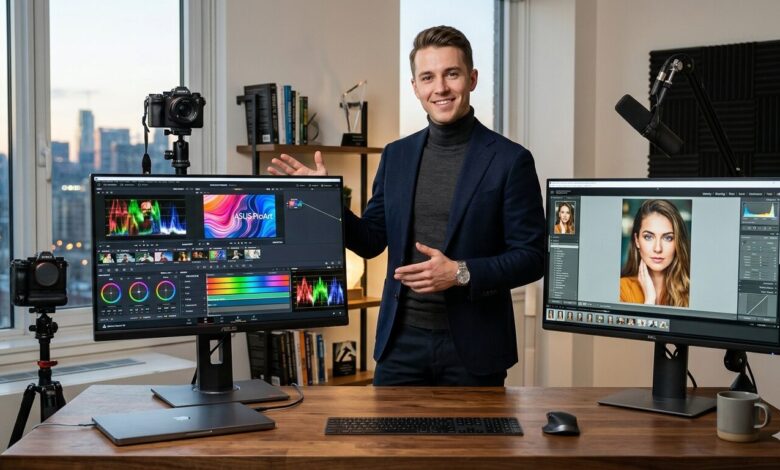
The technical specifications mentioned (such as Delta E and Brightness) are based on the latest 2026 display standards. Always ensure your workspace lighting is controlled to maintain the perceived color accuracy of any professional monitor.
Quick Summary
In 2026, a 4K resolution is the baseline. For creators, the real competition is in Color Accuracy (Delta E < 2), Panel Technology (OLED vs. Mini-LED), and Connectivity (Thunderbolt 4). This guide narrows down the top 5 displays that define professional work this year.
Why Color Accuracy is Non-Negotiable in 2026
With the global shift towards high-dynamic-range (HDR) social media content and cinema-grade streaming, what you see on your screen must match the final output. Color drift can ruin a professional project. Modern creators now require a minimum of 98% DCI-P3 coverage to ensure their work remains vibrant and true-to-life across all devices.
The Top 5 Picks for 2026
1. The Absolute King: ASUS ProArt PA32UCXR
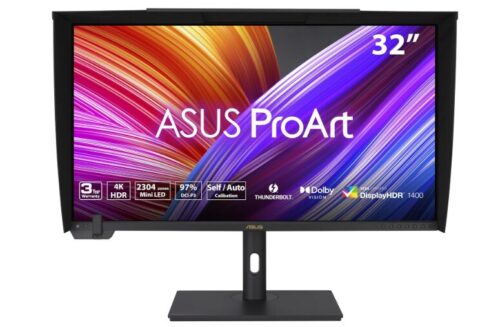
The gold standard for HDR mastering.
-
Best For: Professional Colorists and HDR Video Editors.
-
Key Feature: Built-in motorized colorimeter for self-calibration.
-
Tech Spec: 1600 nits peak brightness with Mini-LED technology.
2. The Mac User’s Choice: Apple Studio Display (2026 Edition)
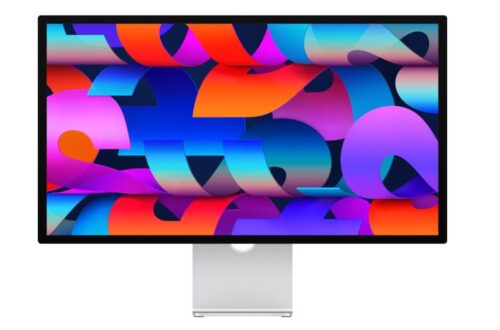
Seamless integration with the macOS ecosystem.
-
Best For: Graphic Designers and Photographers using Mac Studio/MacBook Pro.
-
Key Feature: 5K Resolution and Nano-texture glass option to eliminate glare.
-
Tech Spec: P3 wide color gamut and industry-leading integration with macOS color profiles.
3. The Value Champion: BenQ PD3225U
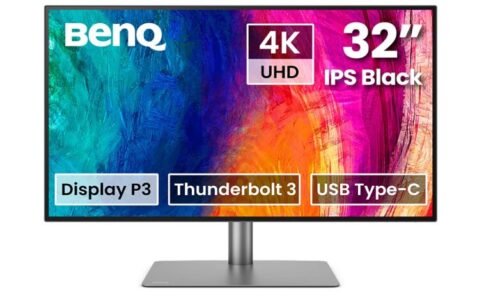
Professional performance without the “luxury” price tag.
-
Best For: Freelance Designers and Content Creators.
-
Key Feature: “M-Book” mode that perfectly matches MacBook Pro colors.
-
Tech Spec: Delta E ≤ 2 accuracy out of the box and Calman Verified.
- Explore BenQ PD3225U pice
4. The OLED Masterpiece: LG UltraFine OLED Pro
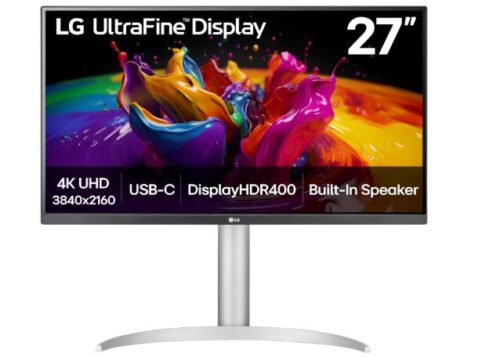
Infinite contrast and perfect blacks.
-
Best For: Video Editors working on dark, cinematic content.
-
Key Feature: Individual pixel dimming for true black levels.
-
Tech Spec: 99% DCI-P3 and Adobe RGB coverage.
5. The Budget Professional: ViewSonic ColorPro VP27 series
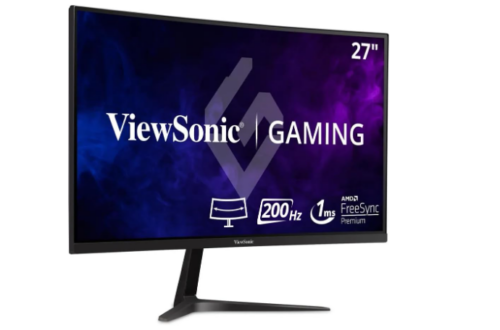
Entry-level price with professional-grade internals.
-
Best For: Students and aspiring creators.
-
Key Feature: Built-in sensor for ambient light adjustment.
-
Tech Spec: 100% sRGB and factory-calibrated report included.
Key Specs to Look For in 2026
-
Color Gamut: Look for at least 95% DCI-P3 or 99% Adobe RGB.
-
Delta E: Ensure the score is less than 2. The lower the number, the more accurate the color.
-
Panel Type: OLED is best for contrast; Mini-LED is best for extreme brightness (HDR).
-
Connectivity: Thunderbolt 4 is essential for 2026 workflows, allowing you to charge your laptop and transfer data with one cable.
Common Mistakes When Buying
-
Buying a Gaming Monitor for Design: High refresh rates (like 240Hz) often come at the expense of color stability and accuracy.
-
Ignoring the Room Lighting: Even the best monitor will look inaccurate if you have a bright window reflecting on the screen.
-
Skipping Calibration: Colors shift over time. Use a hardware calibrator every few months.
Red also
-
Need a powerful machine to drive these pixels? See our MacBook Pro 2026 Review.
-
New to the field? Check our Graphic Design Hardware Guide.
-
Managing your files? Look at Best External SSDs for Video Editing.
Actionable Strategy (CTA)
-
Check the Calibration: Always look for a “Factory Calibration Report” in the box.
-
Invest in Cables: Use a certified Thunderbolt 4 cable to avoid flickering at 4K resolutions.
-
Prioritize IPS Black or OLED: If you work in a dark room, avoid standard IPS panels to prevent “backlight bleed.”
FAQ
Q: Is 8K better than 4K for creators in 2026? A: While 8K exists, 4K remains the professional standard for most workflows due to better performance-to-cost ratios and software stability.
Q: Do I really need a professional monitor for social media content? A: Yes. Modern phone screens (iPhone/Samsung) are highly accurate; if your monitor isn’t, your content will look “off” to your audience.
Q: How often should I calibrate my monitor? A: For professional work, once a month is ideal. For casual creation, every 3 months.