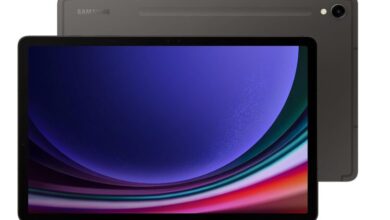

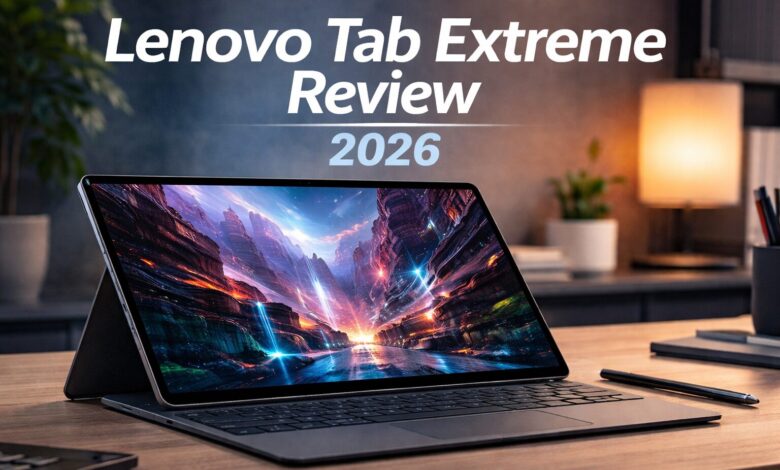
The **Lenovo Tab Extreme is Lenovo’s flagship Android tablet designed to compete with premium devices like the iPad Pro and Samsung’s Galaxy Tab lineup.
With a massive OLED display, powerful MediaTek Dimensity processor, and optional keyboard accessories, the Tab Extreme focuses heavily on productivity and creative work.
In this review, we’ll explore the design, display, performance, battery life, and productivity features to see if it deserves a place among the best tablets available today.
Design and Build Quality
The Lenovo Tab Extreme features a premium aluminum design that feels solid and modern.
Key design features:
• slim metal body
• ultra-thin profile
• premium materials
• lightweight for its size
Despite its large display, the tablet remains comfortable to hold and easy to carry.
Lenovo clearly designed this device to compete with the most premium tablets on the market.
Display Quality
One of the biggest highlights of the Lenovo Tab Extreme is its 14.5-inch OLED display.
Display highlights:
• 3000 × 1876 resolution
• OLED panel with vibrant colors
• excellent contrast and deep blacks
• 120Hz refresh rate
The display is excellent for:
-
watching movies
-
drawing and digital art
-
multitasking
-
professional work
It is easily one of the best displays available on any Android tablet.
Performance and Hardware
The tablet runs on the MediaTek Dimensity 9000 processor, a powerful chipset designed for high-end mobile devices.
Performance benefits:
• fast multitasking
• smooth performance in demanding apps
• strong gaming performance
• efficient power consumption
Combined with 12GB RAM, the tablet easily handles productivity apps, video editing, and creative tools.
Productivity Features
Lenovo designed the Tab Extreme to be more than just a media device.
Productivity features include:
• keyboard accessory support
• stylus compatibility
• multi-window multitasking
• desktop-like interface mode
With the keyboard attached, the tablet becomes a portable workstation suitable for writing, editing documents, and managing projects.
Battery Life
The Lenovo Tab Extreme includes a large 12,300 mAh battery.
Battery highlights:
• up to 12 hours of mixed usage
• fast charging support
• efficient power management
This allows users to work or enjoy entertainment throughout the day without worrying about charging frequently.
Cameras and Audio
Camera setup:
• 13MP rear camera
• 13MP front camera for video calls
The tablet also includes a powerful multi-speaker system tuned for immersive audio.
This makes it excellent for:
-
watching movies
-
listening to music
-
video conferencing
Pros and Cons
Pros
Huge OLED display
Excellent multitasking performance
Large battery capacity
Great productivity features
Premium build quality
Cons
Large size may not suit everyone
Android tablet apps still limited compared to iPad apps
Who Should Buy the Lenovo Tab Extreme?
The Lenovo Tab Extreme is ideal for:
• professionals who need a large screen
• content creators
• digital artists
• users looking for a productivity-focused Android tablet
It offers a great balance between entertainment and productivity features.
Final Verdict
The Lenovo Tab Extreme is one of the most powerful Android tablets currently available.
With its large OLED display, powerful processor, and productivity accessories, it competes directly with the best tablets from Apple and Samsung.
It will also appear in our upcoming guide to the Best Tablets of 2026, where we compare the top tablets currently available.
The Lenovo Tab Extreme is also featured in our full guide to the Best Tablets of 2026.
FAQ
Is the Lenovo Tab Extreme good for productivity?
Yes, especially when paired with the keyboard accessory for multitasking and document editing.
Does it support a stylus?
Yes, Lenovo offers stylus support for drawing and note-taking.
Is it good for watching movies?
Absolutely. The large OLED display and strong speakers provide an excellent media experience.
How big is the display?
The tablet features a large 14.5-inch OLED display.