Best Mechanical Keyboards of 2026: Typing Meets Precision (Top Picks for Work & Gaming)

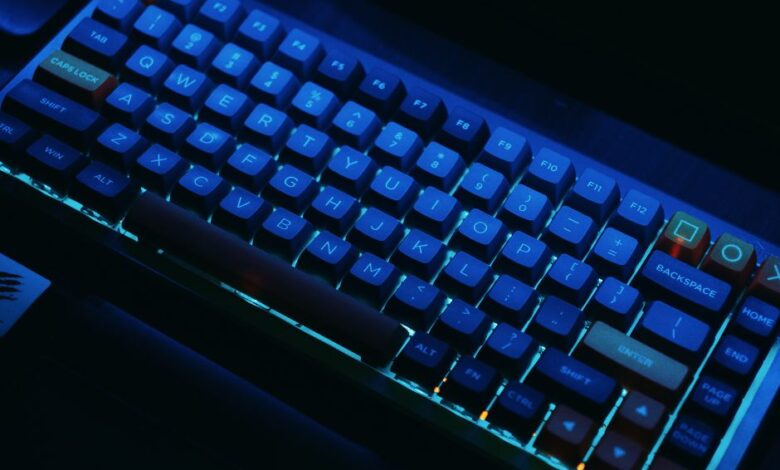
A great mechanical keyboard isn’t just “nice to have”—it can genuinely change how you work and play. The right switches reduce finger fatigue, the right layout improves posture, and a solid case makes every keystroke feel more stable and satisfying.
In this guide, we’re covering the best mechanical keyboards 2026 shoppers should consider—whether you’re writing, coding, designing, or gaming. You’ll also find a quick buying guide so you can choose confidently without getting lost in marketing buzzwords.
How we evaluate picks: /testing-methodology/
Top Mechanical Keyboards of 2026 (Quick Comparison)
Prices and availability change often—treat these as typical ranges, not fixed numbers.
| Rank | Model | Layout | Why It Stands Out | Best For | Typical Price Range |
|---|---|---|---|---|---|
| 1 | Keychron Q10 Pro | 75% Alice (ergonomic) | Premium metal build, hot-swap, QMK/VIA, Bluetooth | Typing + long work sessions | $$–$$$ |
| 2 | Razer BlackWidow V4 Pro | Full-size | Command dial + macro keys, strong feature set | Power users + gaming | $$$ |
| 3 | AKKO MOD 008 | Compact “75% class” | Solid DIY/modding platform, hot-swap, great value | Creators + enthusiasts | $$ |
| 4 | Corsair K70 Pro TKL | TKL | Hall-effect switches + Rapid Trigger style performance | Competitive gaming + fast inputs | $$$ |
| 5 | Keychron C3 Pro | TKL (80%) | Budget-friendly with hot-swap + QMK/VIA | First mechanical keyboard | $ |
Reviews: Best Mechanical Keyboards of 2026
1) Keychron Q10 Pro — Best Overall for Typing Comfort
If you type for hours, this is the kind of keyboard that pays you back every day. The Keychron Q10 Pro uses an ergonomic Alice-style layout (split and curved), which can feel more natural for wrists and shoulders compared to standard rows.
Why it’s great
-
Ergonomic Alice layout for long sessions
-
Premium metal build with a refined typing feel
-
Hot-swappable, so you can change switches later
-
QMK/VIA support for powerful remapping and macros
-
Bluetooth + USB-C flexibility for multi-device setups
Best for: writers, programmers, and anyone chasing comfort + customization
Trade-off: ergonomic layouts take a few days to adapt to
1. Keychron Q10 Pro
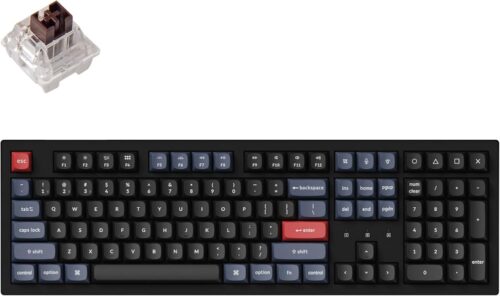
The Keychron Q10 Pro is a premium choice that perfectly blends durability and functionality. Its aluminum frame, gasket-mounted design, and OLED display make it one of the most feature-rich boards in 2025.
If you want an all-in-one keyboard with customizable switches and top-tier wireless performance, this is it.
2. Razer BlackWidow V4 Pro
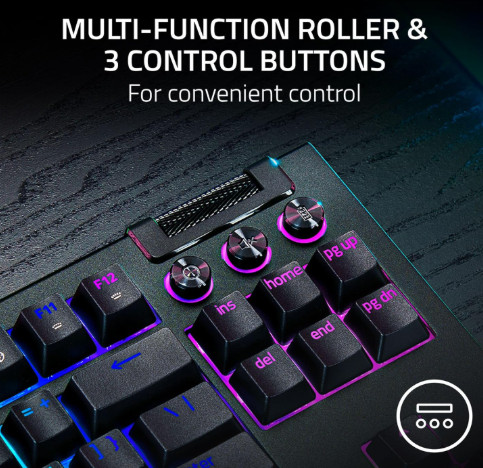
Built for gamers and multitaskers alike, the Razer BlackWidow V4 Pro offers lightning-fast custom switches, macro functionality, and rich RGB effects. It’s one of the most advanced mechanical keyboards available — ideal for those who game and type equally often.
3. AKKO MOD 008
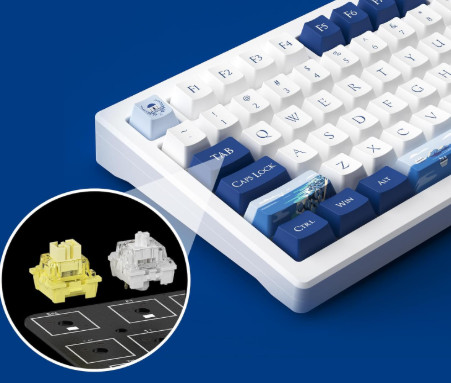
The AKKO MOD 008 delivers near-premium build quality at a mid-range price. With its metal body, silent keys, and hot-swappable sockets, it’s perfect for designers and developers looking for performance without the high-end price tag.
4. Corsair K70 Pro TKL
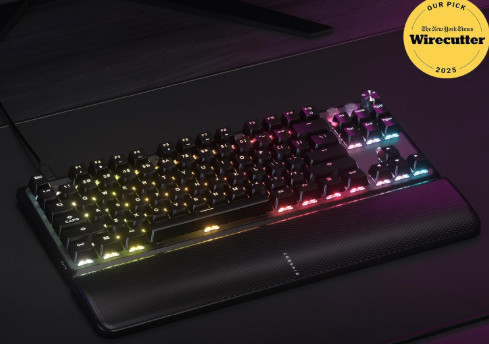
This keyboard targets professionals and gamers who value speed and precision. Thanks to its Hall Effect MGX V2 switches and Rapid Trigger technology, every keystroke registers instantly — a dream for fast typists and eSports players.
5. Keychron C3 Pro
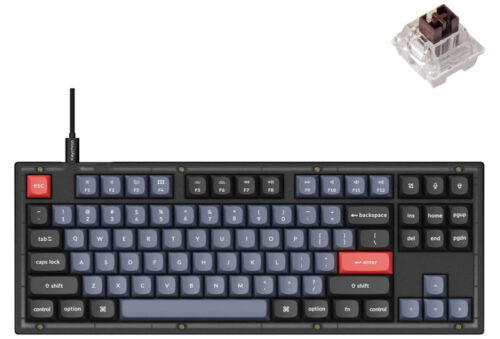
If you’re on a budget but still want a true mechanical typing experience, the C3 Pro is a fantastic pick. Compact, affordable, and hot-swappable, it’s perfect for everyday office use or as your first mechanical keyboard.
How to Choose the Right Mechanical Keyboard (Without Overthinking)
1) Pick your layout first
-
Full-size: best if you need a numpad
-
TKL (80%): best balance of productivity + desk space
-
75% / compact: great if you want smaller footprint with function row
-
Alice / ergonomic: best for comfort if you type all day
2) Choose a switch feel that matches your environment
-
Linear: smooth and fast (popular for gaming)
-
Tactile: subtle bump for feedback (excellent for typing)
-
Clicky: loud and satisfying (not ideal for shared spaces)
3) Hot-swap is a big advantage
If you’re unsure about switches today, hot-swap keeps your keyboard future-proof.
4) Don’t ignore firmware/software
If you want true customization, QMK/VIA boards are hard to beat. If you want convenience and RGB profiles, big-brand software can be easier.
FAQ (Best Mechanical Keyboards 2026)
1) Are mechanical keyboards actually better than membrane?
For most people who type a lot, yes—mechanicals usually feel more consistent, last longer, and reduce “mushy” bottoming-out fatigue.
2) What switch type is best for typing?
Most typists prefer tactile switches for feedback without noise—especially for long writing or coding sessions.
3) Is wireless good enough in 2026?
For productivity, absolutely. For competitive gaming, wired is still the simplest “zero worries” option.
4) Is hot-swap worth paying for?
Yes—hot-swap lets you change switches later without buying a whole new keyboard. It’s one of the best upgrades for long-term value.
5) Which layout is best for most people?
TKL (80%) is the sweet spot: compact, comfortable, and still practical for daily work.
Final Thoughts
Mechanical keyboards in 2026 are more refined than ever: better builds, better customization, and more options for every budget. If you want the best all-around typing experience, go ergonomic with the Keychron Q10 Pro. If you want speed and competitive features, the Corsair K70 Pro TKL is built for that. And if you’re just getting started, the Keychron C3 Pro is a smart, low-risk entry point.